
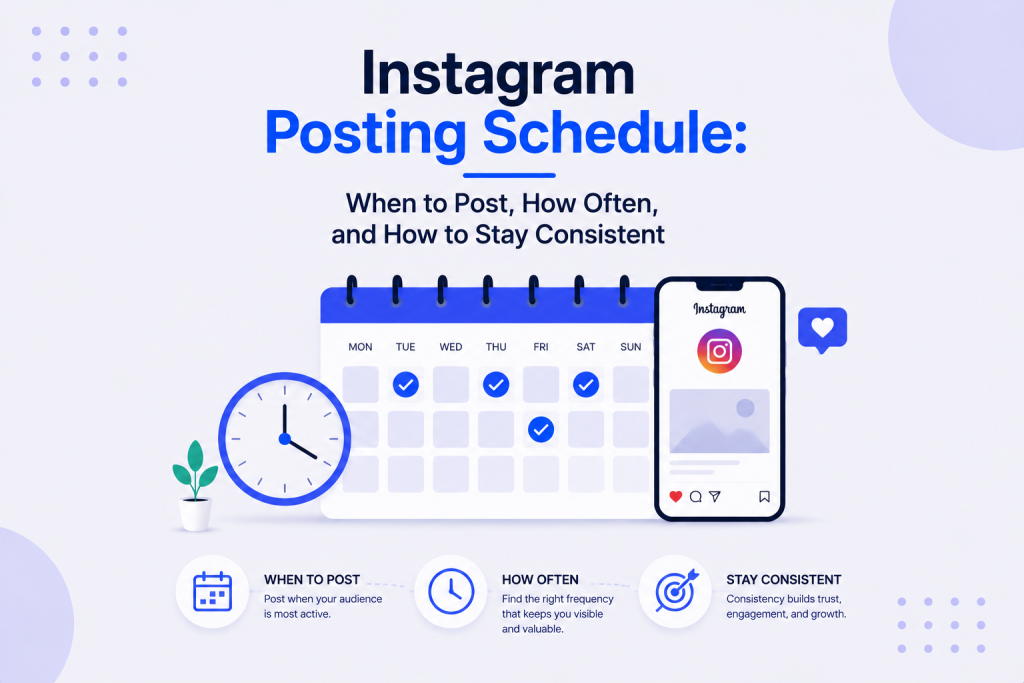
When to post on Instagram is one of the most searched questions in social media marketing, and the answer most people find is both accurate and incomplete.
Yes, timing matters. But consistency matters more. And the right schedule for your account is not the same as the right schedule for your competitor, your industry average, or the generic infographic you found online.
This guide covers all of it: the data on best times, how to find your specific best time, how different formats need different schedules, and how to build a posting plan you can actually maintain week after week.
Does Timing Actually Matter on Instagram?
Timing affects one specific and important thing: early engagement velocity.
The algorithm uses early engagement signals in the first 30 to 60 minutes after publishing to decide how widely to distribute content. Content that earns comments, saves, and shares quickly gets pushed to a larger audience. Content posted when your audience is mostly offline earns engagement slowly and often gets passed over for wider distribution as a result.
That is the real reason timing matters. Not because Instagram rewards posts at certain hours in general, but because the right timing puts your content in front of your followers at the moment they are most likely to interact with it, which feeds the early signal the algorithm is looking for.
What timing cannot fix:
- Weak content with a poor hook
- A profile with no clear reason to follow
- An inconsistent posting history that the algorithm has deprioritized
Timing is a multiplier on content quality, not a replacement for it.
Before worrying about posting times at all, the foundation needs to be in place. A strong bio, clear profile optimization, and content worth engaging with are prerequisites. This guide on Instagram bio optimization covers the conversion-critical profile element that timing cannot compensate for.
Consistency vs Timing: Which Matters More?
If you can only optimize one of these, optimize consistency.
Buffer research shows that accounts with irregular posting schedules see 40% lower average reach than accounts posting consistently at the same frequency, even when total post volume is identical over the same period.
That is a significant reach penalty for inconsistency alone, before considering content quality or timing.
What consistency actually means:
- The same general posting frequency week over week
- No gaps longer than three to four days in the feed without content
- Stories maintained more regularly than feed posts, since daily activity signals account engagement to followers
The algorithm builds expectations around active accounts. When an account posts reliably, it gets prioritized in distribution. When it goes quiet, that priority erodes quickly and takes weeks of consistent posting to rebuild.
The practical implication: if you are choosing between posting at 10:37am because data says that is peak time, or posting at 2pm when you actually have time to reply to early comments, choose 2pm and stay consistent.
Best Times to Post on Instagram: The Data
General timing benchmarks from Sprout Social, Later, and Hootsuite research consistently point to overlapping windows.
Best times by day of week (general benchmarks):
| Day | Best time windows |
|---|---|
| Monday | 9am to 11am |
| Tuesday | 9am to 11am, 2pm to 4pm |
| Wednesday | 9am to 11am (highest average engagement day) |
| Thursday | 9am to 11am, 2pm to 4pm |
| Friday | 9am to 11am |
| Saturday | 9am to 11am, 2pm to 4pm |
| Sunday | 10am to 2pm |
(Sprout Social 2025, aggregated across business account types)
The pattern across all of this:
Mid-morning (9am to 11am) is the most consistent window across almost every day and every research source. Late morning to early afternoon on weekdays also performs well.
Early morning (before 7am) and late evening (after 9pm) consistently underperform across most account types, though individual accounts serving night-shift workers, international audiences, or specific lifestyle audiences may see different patterns.
Weekend timing:
Engagement does not disappear on weekends, but the window shifts slightly later. Saturday morning and early Sunday afternoon tend to perform comparably to mid-week posting for most consumer-facing small businesses.
Best Times by Industry
General benchmarks are a starting point. Industry-specific data often reveals meaningful differences.
Food, restaurants, and hospitality:
- Best days: Wednesday, Friday, Saturday
- Best times: 10am to 12pm (lunch planning) and 5pm to 7pm (dinner planning)
- Saturday brunch content performs particularly well when posted Friday evening or Saturday morning
Fitness and wellness:
- Best days: Monday, Tuesday, Wednesday
- Best times: 6am to 8am (pre-workout motivation) and 12pm to 1pm (lunch break browsing)
- Early morning posts tap into the motivation peak that drives fitness content engagement
Retail and e-commerce:
- Best days: Thursday, Friday, Saturday
- Best times: 11am to 1pm and 7pm to 9pm
- Thursday and Friday build purchase intent heading into weekend browsing and shopping
B2B services and professional services:
- Best days: Tuesday, Wednesday, Thursday
- Best times: 9am to 11am and 12pm to 1pm
- Weekend posting significantly underperforms for B2B audiences who are not in work mode
Home, interior design, and renovation:
- Best days: Wednesday, Saturday, Sunday
- Best times: 10am to 12pm and 8pm to 10pm
- Weekend evening browsing is uniquely strong for home and lifestyle content
Beauty and personal care:
- Best days: Tuesday, Friday, Saturday
- Best times: 9am to 11am and 7pm to 9pm
- Tutorial content performs strongly on weekday mornings and lifestyle content on weekend evenings
These are industry benchmarks, not guarantees. Your specific audience within your industry may behave differently, which is why reading your own Insights data always takes priority over any general benchmark.
How to Find Your Own Best Time in Instagram Insights
Generic timing advice is useful for starting. Your own Instagram Insights data is what makes the schedule precise for your specific account.
How to access timing data in Instagram Insights:
- Go to your professional dashboard via your profile
- Tap Insights, then Total Followers
- Scroll to Most Active Times
- This shows a breakdown of when your current followers are most active by both hour and day
How to use this data:
- Look for the hours when your audience is most active and build your posting schedule around those windows
- Cross-reference against the general benchmarks: if your audience’s peak activity matches the general benchmark, confidence in that window is higher
- If your audience’s peak activity differs from the general benchmark, trust your own data
What to do if your account is new:
New accounts do not have enough follower data to produce reliable Insights timing information. Use the general industry benchmark for your first six to eight weeks, then revisit Insights once the audience has grown enough to produce a meaningful sample.
How Often to Post on Instagram
This is the frequency question, separate from the timing question.
The data-backed range for most small businesses:
- Feed posts (photos, carousels, single images): 4 to 5 per week
- Reels: 3 to 5 per week where production capacity allows
- Stories: daily or near-daily, since Stories have a separate distribution logic and benefit from more frequent updates
- Lives: once a week or once a fortnight, depending on format and audience
These ranges reflect the output where most small business accounts see sustained engagement without the content quality declining.
What happens below the range:
- Under 3 feed posts per week, algorithmic distribution starts to weaken
- Accounts with a gap of more than four to five days between posts consistently show reach recovery time after resuming
What happens above the range:
- Above 2 feed posts per day, per-post reach typically drops as Instagram distributes existing audience attention across more content rather than amplifying any single piece
- Audience fatigue from overposting can suppress engagement rate even when reach holds
The right number is the highest frequency you can maintain at consistent quality. Volume without quality earns weak engagement, which directly damages the algorithmic signals that drive future distribution.
For the mechanics behind exactly how posting frequency interacts with the algorithm’s distribution decisions, this guide on how the Instagram algorithm works explains the ranking signals behind each surface in detail.
Different Schedules for Different Formats
Feed posts, Reels, Stories, and Lives each have different distribution mechanics and each benefits from a slightly different scheduling approach.
Feed posts (photos and carousels):
- Schedule for your primary peak activity windows from Insights
- Space at least 12 to 24 hours between feed posts to avoid competing with your own content in followers’ feeds
- Carousels posted Thursday and Friday tend to see strong weekend save rates as people bookmark them for later reading
Reels:
- Can be scheduled at slightly different times than feed posts, since Reels are distributed to non-followers and their timing is less tied to when your specific audience is online
- Wednesday, Thursday, and Friday Reels tend to perform strongly based on Sprout Social data across business accounts
- Early morning (7am to 9am) and late evening (7pm to 9pm) Reels sometimes outperform mid-morning for discovery content, since competition in the Reels feed is slightly lower outside peak hours
Stories:
- Post Stories throughout the day rather than batching them all at once
- Morning Stories (7am to 10am) work well for behind-the-scenes and update content
- Midday Stories (12pm to 2pm) work well for interactive content like polls and questions when your audience is on a lunch break
- Evening Stories (6pm to 9pm) work well for promotional content and personal or lifestyle updates
- Daily Stories maintain your position near the front of followers’ Stories trays, since recency is a primary ranking factor for this surface
Live video:
- Consistency of schedule matters even more for Lives than for other formats
- A regular Live slot, same day and time each week, builds a habituated audience who know to tune in
- Mid-week evenings (Tuesday to Thursday, 6pm to 8pm) tend to produce the strongest attendance for most business account types
- Announce upcoming Lives in Stories 24 hours before to drive the initial audience
Building Your Weekly Instagram Posting Schedule
A schedule only works if it is realistic and written down. Here is how to build one from scratch.
Step 1: Decide the total weekly output
Choose a number for each format that you can maintain for 12 weeks without the quality dropping. Start conservative.
Example: 4 feed posts, 3 Reels, daily Stories.
Step 2: Assign days and times
Map each piece of content to a specific day and approximate time window based on your Insights data and the format-specific guidance above.
Example weekly map:
| Day | Content |
| Monday | Feed post (educational) – 9:30am |
| Tuesday | Reel – 7:30am, Stories throughout day |
| Wednesday | Feed post (trust/testimonial) – 10am |
| Thursday | Reel – 9am |
| Friday | Feed post (engagement/question) – 10:30am |
| Saturday | Reel – 8am |
| Sunday | Stories only, no feed post |
Step 3: Identify creation time slots
The schedule only works if content is created before the posting time. Block two to three hours once per week or once per fortnight to batch-create content for the schedule ahead.
Step 4: Use a scheduling tool
Scheduling tools allow content to publish automatically without requiring you to be at your phone at the exact posting time.
- Meta Business Suite – Free, covers both Instagram and Facebook, basic scheduling
- Later – Visual calendar planning, strong Instagram integration, from $18/month
- Buffer – Clean interface, multi-platform support, from $6/month
- Hootsuite – Full multi-platform management with analytics, from $99/month
- Sprout Social – Enterprise-grade scheduling and reporting, from $249/month
For most small businesses starting out, Meta Business Suite (free) or Buffer (from $6/month) are sufficient. Later is worth the upgrade for any business where visual grid planning matters.
Sample Weekly Schedules by Business Type
Local service business (plumber, cleaner, builder):
- Monday: carousel post showing a recent completed job (10am)
- Wednesday: Reel with a quick tip or common mistake to avoid (9am)
- Friday: before-and-after post (10am)
- Daily: Stories showing current job progress or team activity
Product/e-commerce business:
- Monday: product lifestyle photo or flat lay (10am)
- Tuesday: Reel showing the product in use or the making-of process (8am)
- Thursday: customer review post or UGC reshare (10am)
- Saturday: new product or sale announcement (9am)
- Daily: Stories with behind-the-scenes, polls on new products, quick promotional updates
Coach or consultant:
- Monday: educational carousel post (9am)
- Wednesday: Reel answering a common audience question (9am)
- Thursday: client result or case study post (10am)
- Friday: opinion or insight post with a specific question at the end (10am)
- Daily: Stories with polls, questions, and engagement prompts
Restaurant or cafe:
- Tuesday: dish or drink close-up (12pm, timed for lunch browsing)
- Thursday: behind-the-scenes kitchen Reel (10am)
- Friday: weekend special announcement (11am)
- Saturday: atmosphere or team post (10am)
- Daily: Stories showing daily specials, team moments, and customer moments
How to Maintain a Posting Schedule Without Burning Out
A schedule that cannot be maintained is worse than no schedule, because the inconsistency penalty compounds with each gap.
The batching solution:
Set aside one focused block of time per week or per fortnight to create all content for the upcoming period. Film all Reels in one session. Take all photos in one session. Write all captions in one sitting.
This shifts social media from a daily mental load to a periodic task, which is the single most effective way to sustain a consistent posting schedule over months rather than weeks.
For a complete system covering how to plan an entire month of content in advance, including how to batch creation sessions and build a content calendar that feeds the posting schedule, this guide on the monthly social media planning guide for small businesses covers the full process.
How to Measure Whether Your Posting Schedule Is Working
A schedule should be tested and adjusted, not set once and never revisited.
The metrics to track:
- Reach per post by day and time – Over four to six weeks, patterns emerge around which slots consistently produce stronger reach
- Engagement rate per post – If certain days or times consistently produce stronger engagement, that is data worth acting on
- Stories completion rate – If Stories posted at a specific time consistently get completed versus skipped, the timing is working
- Follower growth rate – A consistent posting schedule maintained over months should produce a steadily improving growth rate
The review cadence:
- Check post-level performance weekly to spot immediate patterns
- Review schedule effectiveness monthly and adjust timing windows based on accumulated data
- Revisit the Insights Most Active Times data every six to eight weeks, since follower behavior shifts as the audience grows
For the complete framework covering which metrics matter most for each business goal on Instagram, this guide on important social media KPIs to track for small businesses covers what each number means and when to act on it.
Want Your Posting Schedule Built and Maintained for You?
Creating the right schedule is one decision. Creating enough quality content to fill it consistently, every week, is the harder part.
Our social media marketing services handle the strategy, content creation, and scheduled publishing for small businesses that want consistent Instagram output without the daily time commitment.
The Bottom Line
The best Instagram posting schedule is the one you can maintain at a consistent quality level for months at a time.
Start with the general benchmarks: 4 to 5 feed posts per week, Reels where your capacity allows, Stories daily. Post during the mid-morning windows that research consistently identifies as highest-engagement. Then check your own Instagram Insights and adjust to your specific audience’s active hours.
Batch your content creation so posting does not depend on daily motivation. Review your schedule’s performance monthly. And remember that a consistent schedule at a slightly lower frequency always outperforms an ambitious one that collapses after two weeks.