The small businesses that get consistent results from social media are not the ones posting the best content in any given week. They are the ones who show up consistently week after week, month after month, without burning out or running dry.
That consistency does not happen by accident. It happens because someone sat down at the start of the month, made decisions, and built a plan that removed the daily guesswork.
This guide is that planning session. Follow it at the start of every month and you will always know what you are posting, why you are posting it, and whether last month moved you closer to your goal.
What Is Monthly Social Media Planning?
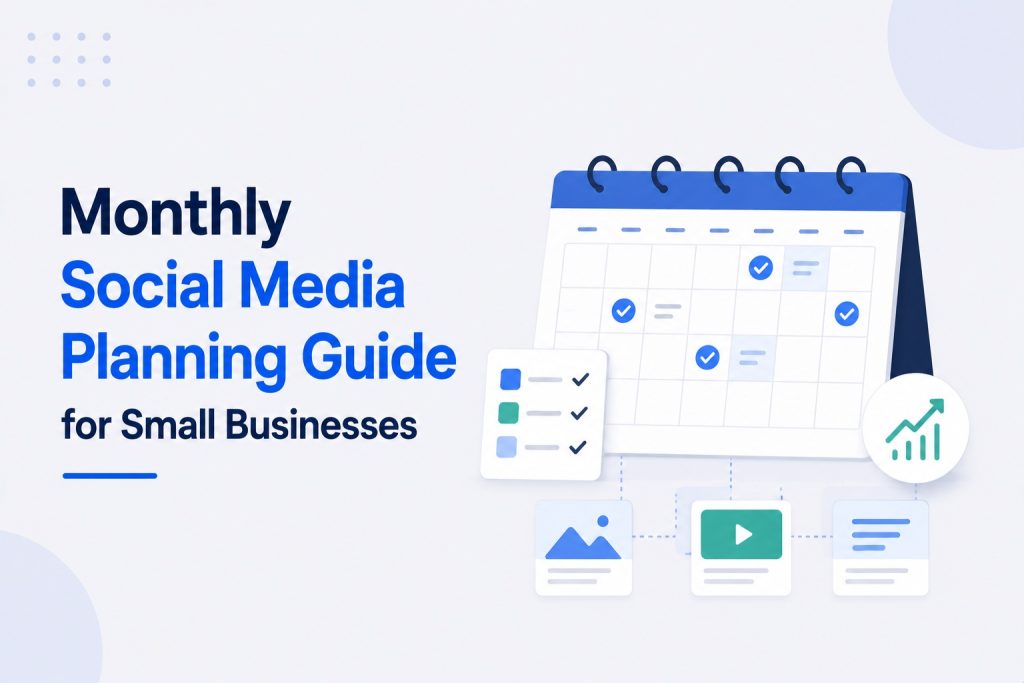
Monthly social media planning is the process of reviewing last month’s performance, setting goals for the coming month, mapping your content themes and campaigns, building a content calendar, and scheduling your creation and publishing workflow, all before the month starts.
It covers both the strategic layer (what are you trying to achieve this month and why) and the operational layer (what specifically are you posting, on which platform, on which day, and in which format).
Monthly planning sits between your annual or quarterly strategy (the bigger directional decisions) and your weekly execution (the day-to-day creation and publishing). It is where strategy becomes a calendar and a calendar becomes a system.
What monthly planning covers:
- Reviewing what worked and what did not in the previous month
- Setting a specific, measurable goal for the coming month
- Identifying seasonal trends, events, and campaign opportunities
- Mapping content themes across your pillars for the month
- Building a content calendar with post types, formats, and dates
- Planning any paid campaigns and allocating budget
- Setting up batch creation and scheduling sessions
- Defining which KPIs will confirm the month was successful
Why Plan Monthly Instead of Weekly or Daily?
Most small businesses manage social media one of two ways: they plan a week at a time or they decide what to post each day. Both approaches have a ceiling.
Weekly planning is reactive. You are always in short-term mode, responding to what happened last week rather than building toward a longer-term goal. It rarely creates space for campaigns, seasonal content, or anything requiring more than a few days of lead time.
Daily posting decisions are the most inefficient approach possible. Every day starts with a blank page and the mental tax of deciding what to post. This is where consistency breaks down. When the day is busy, social media gets skipped. Over time, the gaps compound and the account stalls.
Monthly planning solves both problems. You make the big decisions once, at the start of the month, and spend the rest of it executing. The cognitive load drops to near zero on a daily basis because the decisions are already made.
The practical benefits of monthly planning:
- You can plan seasonal and event-driven content with enough lead time to make it good
- You can see the full month’s content mix and ensure it is balanced, not all promotional or all educational
- You can align social media content with business campaigns, product launches, and promotions happening that month
- You can batch all your content creation into two or three focused sessions rather than creating daily
- You are far less likely to miss posting days because the plan is already in place
According to CoSchedule, marketers who proactively plan content are 331% more likely to report success than those who do not. Monthly planning is the minimum planning cadence that produces that kind of compounding result.
Week Four of the Previous Month: The Monthly Review
Good monthly planning starts before the new month does. The last week of every month is when you review performance so your plan for the coming month is built on data rather than guesswork.
This review takes 30 to 45 minutes. It is the most important 30 to 45 minutes you will spend on social media all month.
What to review:
- Top performing posts – Which three to five posts generated the most reach, engagement, profile visits, or link clicks this month? What did they have in common? Format, topic, tone, time of posting, or visual style?
- Lowest performing posts – Which content consistently underperformed? Is there a pattern? If the same content type or topic underperforms repeatedly, remove it from your plan.
- Goal progress – Did you hit last month’s specific, measurable goal? If not, how close were you and what was the most likely cause of the gap?
- Follower quality check – Are the new followers you gained this month your target audience? If engagement rate dropped despite follower growth, the new followers are not aligned with your content.
- Paid campaign review – If you ran any paid campaigns, what was the cost per lead, the click-through rate, and the return on ad spend? What does that tell you about targeting and creative for next month?
- Competitor check – Spend 10 minutes reviewing what competitors posted. What got strong engagement from their audience? Is there a topic or format opportunity they are leaving open?
Write your findings in a simple document or spreadsheet. The notes from this review directly inform the decisions you make in the planning session.
For a complete framework on which metrics to review and what strong versus weak numbers look like for your platform and industry, this guide on important social media KPIs for small businesses covers every metric in detail.
Step 1: Set Your Monthly Social Media Goal
Every month needs one primary goal. Not three. Not five. One.
A monthly goal is more specific than a quarterly or annual strategy goal. It defines exactly what you want social media to produce for your business this month and how you will measure whether it happened.
Examples of strong monthly goals:
- Generate 25 enquiries from Instagram content this month by posting five times per week and including a direct call to action in every post
- Grow LinkedIn follower count by 150 this month by posting four times per week and engaging in three relevant comment threads daily
- Achieve a cost per lead below $30 on Facebook ads this month by testing three different ad creatives against the same audience
- Drive 500 website visitors from social media this month by including UTM-tagged links in every post type that allows them
Why one goal works better than several:
A single monthly goal creates a filter for every content decision you make. When you have a post idea, you can ask: does this move me toward my monthly goal? If yes, it stays in the plan. If not, it either gets reconsidered or moved to a future month where it fits better.
Multiple goals compete for priority and produce diluted effort across all of them. Pick the one that matters most for where your business is right now.
Your monthly goal should connect directly to your broader social media strategy. If you have not yet built that strategy, this guide on how to create a social media strategy for small business covers how to set goals that connect to a 90-day and 12-month framework.
Step 2: Identify This Month’s Themes, Campaigns, and Seasonal Opportunities
Before building the content calendar, map out the external context that should shape what you post this month.
Every month has a combination of fixed events (public holidays, industry dates, seasonal shifts) and business-specific events (product launches, promotions, events, hiring campaigns). These inform your content themes and create natural content hooks that are harder to manufacture from scratch.
What to map at the start of each month:
- Public holidays and national observances relevant to your audience (not every one, just the ones your specific audience cares about)
- Industry-specific dates, conferences, or awareness months in your niche
- Business events: launches, promotions, seasonal offers, hiring campaigns
- Local events if your business serves a local market
- The month’s broader cultural moment: what is your audience likely to be thinking about, focused on, or preparing for this time of year?
How to use this in your content plan:
Map these dates onto a blank calendar first. They become anchor points around which your regular content sits. A fitness business in January plans content around New Year goals. A financial consultant plans tax-related content in March. A restaurant plans Valentine’s content in early February with enough lead time to promote it.
Seasonal content that is well planned consistently outperforms evergreen content in reach because it captures the moment’s existing attention rather than trying to create attention from scratch.
Step 3: Map Your Content Themes Across the Month
With your goal set and your seasonal anchors placed, the next step is mapping your content themes for the month.
Content themes are not the same as content pillars. Your pillars are your permanent recurring topics. Your monthly themes are the specific angles within those pillars that this month’s content will focus on.
How to choose monthly themes:
- Pick two to three specific angles within your content pillars to focus on this month
- Connect at least one theme directly to your monthly goal
- Connect at least one theme to a seasonal opportunity identified in the previous step
- Keep one theme as a consistent evergreen topic from your pillar that does not need a seasonal hook
Example for a fitness studio in January:
- Pillar: strength training for adults over 40
- January themes: resetting habits after the holiday break, realistic goal-setting for sustainable results, the difference between motivation and discipline in fitness
Every post this month lives inside one of those three themes. The content stays cohesive without being repetitive. The audience builds a clear expectation of what the account covers.
Step 4: Build Your Monthly Content Calendar
Now the plan gets operational. The content calendar maps exactly what is going out, on which day, on which platform, in which format.
You do not need expensive software to build one. A Google Sheet, a Notion table, or even a printed monthly calendar with sticky notes is enough. What matters is that the calendar exists and is specific enough to guide creation.
Your monthly content calendar columns:
- Date of posting
- Platform
- Content type (Reel, carousel, single image, text post, Story, video)
- Content pillar or theme
- Post topic or working title
- Call to action
- Status (planned, drafted, filmed, edited, scheduled, live)
A realistic monthly posting map for a single-platform small business:
For Instagram at five posts per week, a month of 31 days produces approximately 20 feed posts. Map those 20 slots before you create anything.
A healthy monthly mix for a small business:
- 8 educational posts (40%) – teaching something specific and useful
- 5 trust-building posts (25%) – testimonials, case studies, before-and-after
- 4 engagement posts (20%) – polls, questions, this-or-that, opinions
- 3 promotional posts (15%) – offers, services, direct calls to action
This ratio keeps the feed valuable without feeling like a constant sales pitch.
For a full list of specific post ideas that fill each of these content types for the month, this resource on social media marketing ideas for small businesses covers 25 formats with real examples.
Step 5: Plan Your Platform-Specific Content
If you are active on more than one platform, each needs its own monthly content consideration. Posting identical content across platforms is less effective than adapting the same core ideas to suit each platform’s format and audience behavior.
Monthly platform planning breakdown:
Plan your Reels, carousels, single-image posts, and Stories separately. Reels require the most production time so batch all Reel filming in one session. Stories can be more spontaneous but plan at least two to three Story sequences per week: a poll, a behind-the-scenes series, and a promotional moment tied to your monthly offer.
Plan for longer captions and community-driven content. Facebook posts that ask a genuine question or share a personal story from the business tend to outperform short-caption posts on this platform. If you are running paid ads, map your campaign start and end dates on the calendar at this stage.
Plan around your B2B audience’s working week. Tuesday through Thursday posting performs strongest. Plan one long-form post per week plus two to three shorter posts. Map any direct outreach campaigns alongside your content so the two activities reinforce each other.
TikTok
Plan your video concepts with enough lead time to film in batches. TikTok content requires the most time per piece but also offers the strongest organic reach return on that time investment. Plan three to five videos per week with a mix of educational, entertainment, and behind-the-scenes content.
Google Business Profile
Often forgotten but highly valuable for local businesses. Plan one to two posts per week sharing your latest blog post, a recent project photo, a customer review, or a seasonal offer. These posts strengthen local search visibility alongside your main social channels.
Step 6: Plan Your Paid Campaigns for the Month
If your social media strategy includes paid advertising, the monthly plan is where campaign decisions happen.
Rushing into ad campaigns without planning produces wasted budget. Deciding in advance which campaigns you will run, what their objective is, what the creative will be, and what budget each gets is what makes paid social efficient.
Monthly paid campaign planning checklist:
- Which business goal requires paid amplification this month?
- Which piece of organic content performed best last month that you could turn into a paid ad?
- What is the target audience for each campaign (location, age, interest, behavior)?
- What is the daily budget for each campaign and how many days will it run?
- What is the landing page or conversion action each ad points to?
- How will you track whether the campaign worked (UTM parameters, lead form, conversion pixel)?
Starting point budget allocation:
For businesses spending $500 per month on paid social, a simple monthly split might be:
- $300 toward a lead generation campaign targeting cold audiences
- $150 toward a retargeting campaign targeting website visitors and social media engagers
- $50 held back to boost any organic post that significantly overperforms during the month
This three-bucket approach ensures consistent lead flow from cold audiences while capturing the higher-converting warm audience at a lower cost per lead.
Step 7: Schedule Your Content Creation Sessions
The content calendar is planned. The paid campaigns are mapped. Now you need to schedule the actual creation work before the month starts.
Batching content creation is the single most effective time management technique in social media marketing. Instead of filming, designing, and writing every day, you do it all in two or three dedicated sessions per month.
A monthly creation workflow for a solo small business owner:
Session 1 (start of month, 2 to 3 hours):
- Film all video content for weeks 1 and 2 in one session
- Use one setup, one outfit, one location and film all videos back to back
- Write captions and calls to action for all content filmed
Session 2 (start of week 3, 2 hours):
- Film all video content for weeks 3 and 4
- Create all graphics for the remaining month using Canva templates
- Write remaining captions and schedule all content using Buffer, Later, or Hootsuite
Tools that make batch creation practical:
- Canva Pro ($13/month) – Brand kit feature ensures visual consistency across all graphics. Batch resize a single design for every platform in one click.
- Buffer ($6 to $12/month) – Schedule posts to multiple platforms in one session. Queue visual content in advance with auto-publish.
- Later (free to $25/month) – Visual content calendar that shows exactly how your Instagram feed will look before anything posts. Strong for image-heavy brands.
- CapCut (free) – Fast video editing on mobile with templates, captions, and transitions that work well for TikTok and Reels.
- Notion or Trello (free) – Content calendar templates for planning, tracking status, and collaborating if more than one person is involved in content creation.
Step 8: Build Your Monthly Review Into the Plan
The review session at the end of the month does not happen unless you schedule it in advance. Put it in your calendar on the last Wednesday or Thursday of the month, every month, before the new month starts.
What goes into the monthly review session (30 to 45 minutes):
- Pull analytics from each platform you are active on
- Compare your KPIs against your monthly goal
- Identify the top three performing posts and the bottom three
- Note what changed versus last month and why
- Write three sentences about what to do more of and one sentence about what to stop doing
- Use these notes as the first input for next month’s planning session
The review feeds directly back into step one of the next month’s planning process. Over six months of consistent planning and reviewing, the compounding improvement in content quality, audience alignment, and goal achievement is significant.
Monthly Planning Tools and Templates
You do not need to build your planning system from scratch. These tools either have built-in monthly planning features or work well as simple planning infrastructure.
Free tools:
- Google Sheets – Build a simple content calendar template once and reuse it every month. Columns for date, platform, format, topic, status, and link.
- Notion – Has content calendar templates built in. Allows you to link planning documents, brand voice guidelines, and analytics notes in one workspace.
- Meta Business Suite – Built-in content scheduler for Facebook and Instagram with calendar view. Free and sufficient for businesses only on Meta platforms.
- Trello – Simple board-based planning where each card is a post and lists represent the status: planned, in creation, scheduled, live.
Paid tools worth the investment at scale:
- Hootsuite ($99/month) – Manages multiple platforms, has a monthly calendar view, allows team collaboration, and includes basic analytics in one dashboard.
- Later ($25/month) – Visual planning tool with strong Instagram and TikTok focus. Shows how scheduled posts will appear in the feed before they publish.
- Sprout Social ($249/month) – Most comprehensive platform for teams. Includes content calendar, approval workflows, analytics, and competitor monitoring.
For a complete setup checklist covering your profiles, scheduling tools, analytics access, and content creation setup, this social media checklist for small businesses covers every element in one place.
Ready to Hand the Monthly Planning to Someone Who Does This Full Time?
Monthly planning takes a few hours to do properly. Executing the content, managing the platforms, and reviewing the results takes considerably more.
Many small business owners reach a point where the time investment in planning and execution is better spent on revenue-generating work within the business.
Our social media marketing for small business service handles the monthly planning, content creation, scheduling, community management, and performance reporting so your social presence grows consistently without consuming your time.
The Bottom Line
Monthly social media planning is not complicated. It is one review session, one goal, one content calendar, two to three creation sessions, and one scheduled review at the end.
The small businesses that do this every month are the ones that never run out of content, never post inconsistently, and always know whether social media is contributing to their business goals.
Set aside two hours at the start of next month and follow this guide. Do it again the month after. The compounding effect of twelve months of intentional monthly planning produces results that no amount of reactive daily posting can match.