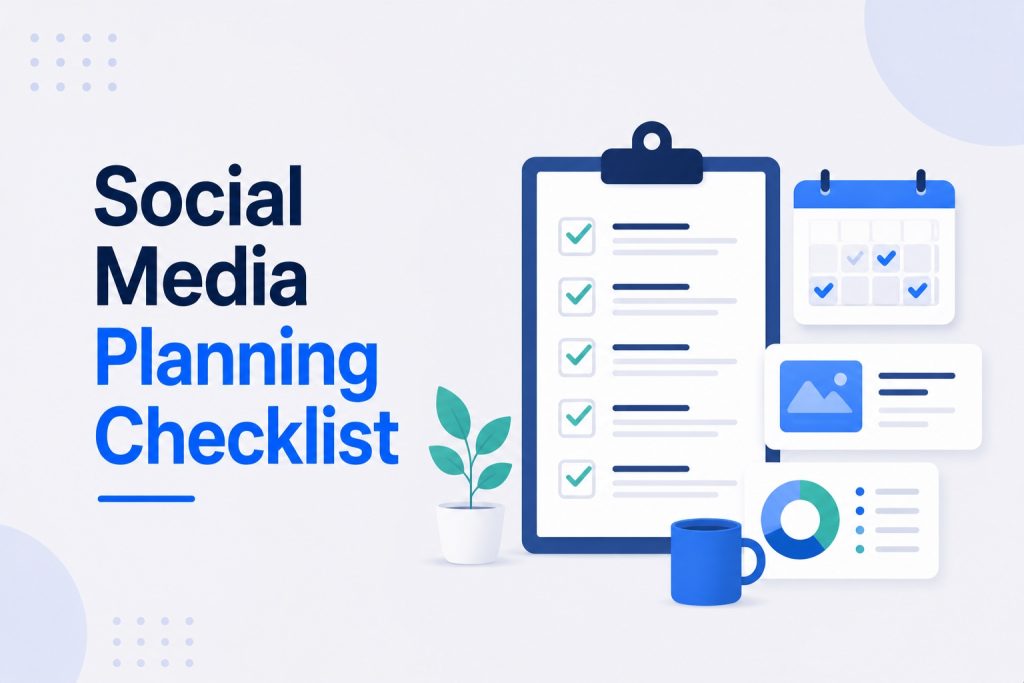
Planning social media content should not require reinventing the process every single time you sit down to do it.
It should be a checklist. Run through it in order, check each box, and you walk away with a clear plan instead of a half-finished list of ideas.
This is that checklist. It covers the full planning session, from reviewing what already happened to building the calendar to scheduling the work of actually creating the content.
What This Checklist Covers (and What It Does Not)
This is a planning checklist, not a setup checklist.
It assumes your profiles, bios, and tools are already in place. If you have not done that part yet, this social media checklist for small businesses covers the foundational setup: profile optimization, branding, and account essentials.
This checklist is what you run through every time you sit down to plan your content, whether that is weekly or monthly.
Phase 1: Review Before You Plan
Do not skip this phase. Planning without reviewing what happened last period means repeating the same mistakes.
- Pull analytics from every platform you are active on
- Identify your top 3 performing posts from the last period
- Identify your bottom 3 performing posts from the last period
- Note any pattern in what made the top posts work (format, topic, timing)
- Note any pattern in what made the bottom posts underperform
- Check whether you hit your goal from the last planning period
- Review any paid campaigns and their cost per result
- Spend 10 minutes checking what competitors posted that performed well
This phase takes 20 to 30 minutes. Skipping it is the single biggest reason planning sessions produce content that repeats past mistakes.
Phase 2: Set Your Goal for This Period
Every planning session needs one clear goal driving the content decisions that follow.
- Choose one primary goal: awareness, lead generation, sales, or retention
- Write the goal as a specific, measurable statement (not “grow followers” but “increase profile visits by 20%”)
- Confirm the goal connects to your broader business priorities for this period
- Identify the one metric that will tell you whether you hit the goal
- Resist the urge to set more than one primary goal
One clear goal makes every following decision in this checklist faster and more obvious.
Phase 3: Map Your Audience and Content Angle
Before deciding what to post, confirm who you are posting for and what angle the content will take this period.
- Confirm your target audience description is still accurate based on who is actually engaging with your content
- Identify 2 to 3 specific content themes or angles for this period
- Connect at least one theme to a seasonal moment, event, or business priority
- Check whether any audience questions or objections from this period’s DMs and comments should become content
- Confirm each planned theme connects back to one of your core content pillars
Phase 4: Build the Content Calendar
This is where the plan becomes operational. Each item below should be filled in for every piece of content in the period.
- List every posting date for the period across each active platform
- Assign a content type to each date (educational, engagement, trust-building, promotional)
- Assign a format to each date (Reel, carousel, single image, Story, long-form video)
- Write a working topic or title for each planned post
- Confirm the content mix follows a healthy ratio (roughly 40% educational, 25% trust, 20% engagement, 15% promotional)
- Add a call to action for each post
- Mark a status column for each item: planned, in creation, scheduled, live
For specific post ideas to fill any gaps in your calendar, this list of social media marketing ideas for small businesses covers 25 formats with real examples for each content type.
Phase 5: Platform-Specific Planning Check
Run this check for each platform you are active on before finalizing the calendar.
- Mix of Reels, carousels, and single posts planned, not just one format
- At least 2 to 3 Story sequences planned for the period
- One post identified as the strongest candidate to pin or feature
- Captions adapted for Facebook’s longer-form, community-driven style, not copy-pasted from Instagram
- Any local or community content scheduled for this period
- Paid campaign dates noted on the calendar if running ads
- Posting days fall on Tuesday through Thursday where possible
- At least one long-form post planned for the period
- Any direct outreach campaigns aligned with the content themes
TikTok
- Video concepts have enough lead time for batch filming
- Mix of educational, entertainment, and behind-the-scenes content planned
- Trending audio or formats checked for relevance before filming
Google Business Profile
- At least 1 to 2 posts planned for the period
- Content includes any current offers, recent projects, or shared blog posts
Phase 6: Plan Paid Campaigns (If Applicable)
Skip this phase if you are not running paid social this period. Otherwise, confirm each item below.
- Campaign objective defined for each planned campaign (reach, traffic, leads, conversions)
- Target audience defined by location, age, interest, or behavior
- Best-performing organic content from the review phase identified as ad creative
- Daily and total budget set for each campaign
- Landing page or conversion action confirmed and tested
- UTM parameters added to all campaign links for tracking
- Start and end dates noted on the content calendar
Phase 7: Schedule Your Creation Sessions
The calendar exists. Now block the time to actually produce the content on it.
- Block 2 to 3 hours for the first content creation session of the period
- Block a second session if the period requires more content than one session can cover
- Confirm equipment, location, and any props needed before the session starts
- Batch all filming for the period in as few sessions as possible
- Batch all caption writing separately if it works better for your workflow
- Schedule all finished content using your scheduling tool of choice
For a deeper walkthrough of how to structure these creation sessions and the broader monthly planning rhythm this checklist supports, this monthly social media planning guide for small businesses covers the full process with real examples.
Phase 8: Pre-Publish Quality Check
Run this short check on each piece of content before it goes live, not after.
- First line or first frame creates a hook within the first 2 to 3 seconds
- Caption includes a clear call to action
- Visual quality meets your brand’s basic standard (lighting, framing, consistency)
- Spelling and grammar checked
- Any tagged accounts, locations, or hashtags added correctly
- Link in bio or Story link confirmed working and pointing to the right page
Phase 9: Set Your Review Date
Planning is not finished until the next review is already on the calendar.
- Schedule the end-of-period review session before the current period starts
- Confirm which metrics you will check at that review
- Set a calendar reminder so the review does not get skipped when things get busy
A complete breakdown of which specific metrics matter most and what strong performance looks like at this review stage is covered in this guide on important social media KPIs for small businesses.
Quick Reference: The Full Checklist in One Place
For a fast scan before any planning session, here is every phase condensed.
- Review last period’s top and bottom performing content
- Set one clear, measurable goal for this period
- Map your audience and 2 to 3 content themes
- Build the content calendar with type, format, topic, and CTA for each post
- Check platform-specific requirements for each active channel
- Plan any paid campaigns with objective, audience, and budget defined
- Schedule your batch creation sessions
- Quality check every post before it publishes
- Set the next review date before this period starts
Nine phases. Run through them in order every time you plan, and the process gets faster each time you repeat it.
Tools That Make This Checklist Easier to Run
You do not need an elaborate system to use this checklist effectively.
- Google Sheets or Notion – Build the content calendar template once and reuse it every period
- Canva – Handles graphics, carousel design, and basic video editing in one place
- Buffer or Later – Schedule and queue content so publishing happens automatically once the plan is built
- Google Analytics – Tracks website traffic and conversions from social media when UTM parameters are used consistently
- Native platform analytics – Sufficient for the review phase on most platforms without needing a separate paid tool
Want This Checklist Run for You Every Period?
Working through this checklist properly takes a few focused hours each planning period. Doing it consistently, period after period, is where most small business owners run out of time.
Our social media marketing for small business service runs this entire planning process on your behalf, from the review phase through to scheduled, published content, so the consistency never depends on how busy your week gets.
The Bottom Line
A planning checklist works because it removes decision fatigue. You are not figuring out what to do next every time you sit down. You are checking boxes in an order that has already been proven to work.
Run through these nine phases every time you plan. The session gets faster each time, and the results compound because nothing important gets skipped along the way.