
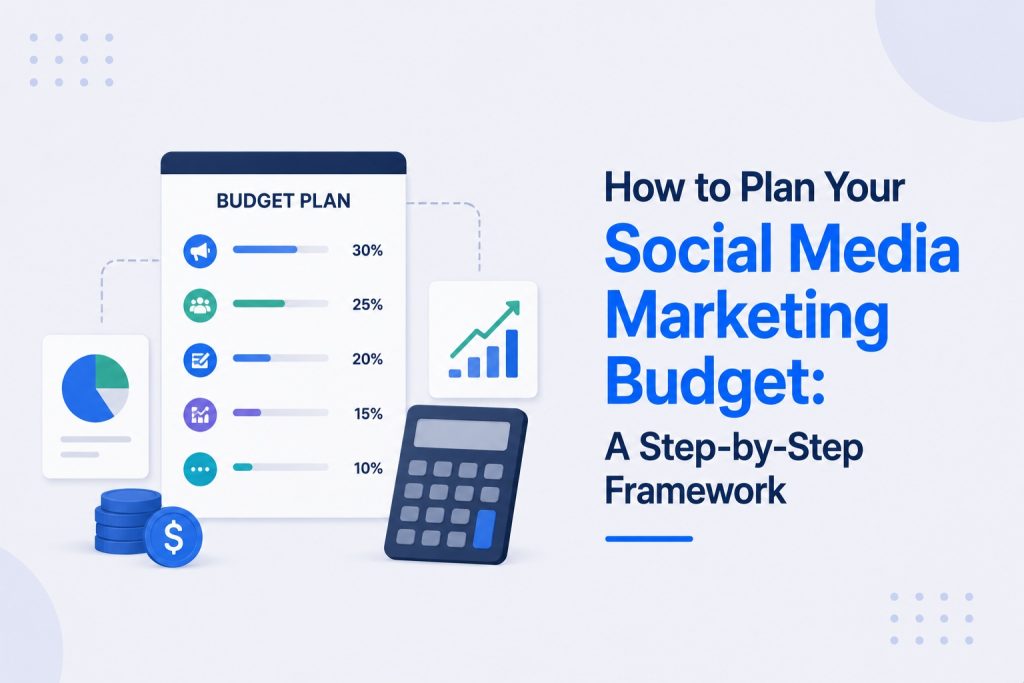
Most small businesses approach their social media budget the same way they approach a grocery run with no list: they spend on whatever feels urgent in the moment and end up with no clear picture of where the money actually went.
A budget plan fixes that. It is not about spending more. It is about deciding in advance exactly where every dollar goes, why it is going there, and how you will know if it worked.
This guide walks through a complete framework for planning your social media budget, step by step, regardless of whether you are starting with $0 or $10,000 a month.
What Is Social Media Budget Planning?
Social media budget planning is the process of deciding in advance how much money and time your business will allocate to social media marketing, and how that total will be split across content creation, tools, paid advertising, and any outside help.
It is different from simply spending on social media as needs arise. A budget plan defines categories, sets limits, and creates a framework you check your spending against, rather than deciding each expense in isolation.
What a complete social media budget plan covers:
- Your total monthly or quarterly social media budget
- The split between organic content costs and paid advertising spend
- Budget allocated per platform if you are active on more than one
- Tools and software costs
- Content creation costs, whether in-house time or outsourced help
- A review process for adjusting the plan based on results
Without this structure, most small businesses either underspend on the parts of social media that would generate the strongest return, or overspend on tools and ads without a clear sense of whether either is producing results.
Why a Budget Plan Matters More Than the Budget Size
A small business spending $300 a month with a clear plan often outperforms one spending $1,500 a month with no plan at all.
The reason is straightforward. Without a plan, spending follows whatever feels most urgent: boosting a post that seems to be doing well, paying for a tool that looked useful, hiring a freelancer for a one-off project. None of these decisions are necessarily wrong, but made in isolation they rarely add up to a coherent strategy.
A budget plan forces three decisions that produce dramatically better outcomes regardless of total spend: where the money goes (allocation), why it is going there (connection to a goal), and how you will know if it worked (measurement).
What changes when a real plan is in place:
- Every dollar spent connects to a specific goal rather than a vague hope that “more marketing” will help
- You can identify quickly which category of spend is underperforming and reallocate rather than just adding more budget on top
- You stop making reactive decisions (boosting posts randomly, signing up for tools you do not use) and start making planned ones
- You build a baseline that makes next month’s or next quarter’s plan easier and more accurate
Step 1: Determine Your Total Social Media Budget
Before splitting anything, you need a total figure to work with.
The percentage-of-revenue method:
The most common framework, recommended by the U.S. Small Business Administration, is allocating 7 to 8% of annual revenue to marketing overall. Social media typically represents 15 to 25% of total marketing spend depending on how central it is to your growth strategy.
For a business generating $300,000 per year:
- Total marketing budget: $21,000 to $24,000 annually ($1,750 to $2,000 per month)
- Social media allocation at 20%: $350 to $400 per month
The goal-based method:
An alternative approach starts from your goal rather than your revenue. If your goal is to generate 30 leads per month and your industry’s average cost per lead on social media is $40, your minimum required ad budget is $1,200 per month, plus whatever organic content and tools cost on top of that.
The capacity-based method:
For very early-stage businesses, the most realistic approach is starting with what you can sustain without straining cash flow, even if that figure is below the percentage-of-revenue recommendation. A modest, sustainable budget executed consistently for twelve months outperforms an aggressive budget that gets cut after two months because cash flow could not support it.
To see what businesses similar to yours are typically spending across these different stages, this breakdown of how much small businesses spend on social media marketing covers real spending ranges by business size and approach.
Step 2: Split Your Budget Between Organic and Paid
Once you have a total figure, the next decision is how much goes toward organic content (the cost of creating and managing it) versus paid advertising (direct platform spend).
Why this split matters:
Organic and paid serve different functions. Organic builds your content library, establishes your brand voice, and creates the trust signals that make paid advertising convert better. Paid advertising amplifies what is already working and reaches audiences beyond your current followers at a faster pace than organic alone can achieve.
A starting allocation framework:
For businesses just starting out (first 90 days): 80% organic, 20% paid. Build the foundation before scaling distribution.
For businesses with an established organic presence: 60% organic, 40% paid. Content creation remains the priority but paid budget grows to amplify proven content.
For businesses in active growth mode with a proven content-to-conversion pipeline: 40% organic, 60% paid. At this stage, paid advertising is reliably converting and deserves the larger share of new budget.
Signs you are ready to shift more budget toward paid:
- You have at least 8 to 12 weeks of consistent organic posting with a complete, optimized profile
- You can identify specific organic posts that significantly outperformed your average
- Your cost per lead from initial test campaigns is within or below your industry benchmark
- You have a clear conversion path (landing page, booking form, or DM workflow) that paid traffic can be sent to
Step 3: Allocate Budget Across Platforms
If you are active on more than one platform, the next decision is how to split your budget between them.
The principle: budget follows where the evidence is, not where you feel most comfortable
Track which platform is generating the strongest engagement, profile visits, and enquiries relative to the time and money invested. Allocate proportionally more budget to that platform rather than splitting evenly across all platforms by default.
A sample platform allocation for a business active on Instagram, Facebook, and LinkedIn with a $1,000 monthly budget:
If Instagram is generating 60% of total enquiries, Facebook is generating 25%, and LinkedIn is generating 15%, your budget might reasonably follow that same proportion:
- Instagram: $600 (content creation tools, ad spend, and any influencer collaboration)
- Facebook: $250 (ad spend primarily, with shared content from Instagram)
- LinkedIn: $150 (content creation time, occasional ad spend for specific campaigns)
This is not a fixed rule. Revisit this allocation monthly based on actual performance data rather than letting it become a permanent default.
Step 4: Budget for Content Creation
Content creation is the most commonly underbudgeted category in small business social media planning, largely because the cost is time rather than direct spend, which makes it easy to overlook.
What to include in your content creation budget:
- Design tools – Canva Pro at $13 per month covers most small business graphic and video editing needs
- Photography and video equipment – A one-time investment in a ring light ($30 to $80), a phone tripod ($20 to $40), and a basic microphone ($40 to $100) significantly improves content quality
- Stock content subscriptions – If supplementing original content, $15 to $50 per month for stock photo or video libraries
- Freelance content creators – $50 to $250 per post or $500 to $2,000 per month for a retainer covering 12 to 16 posts
- Your own time, valued honestly – If managing content yourself, multiply your hourly value by the hours spent weekly to understand the true cost of doing it in-house
A realistic monthly content creation budget by approach:
- Fully DIY with free and low-cost tools: $15 to $50 per month in direct spend, plus 3 to 5 hours per week of time
- Hybrid (DIY with occasional freelance support): $300 to $800 per month
- Fully outsourced to a freelancer or small agency: $1,000 to $3,000 per month
Step 5: Budget for Tools and Software
Beyond content creation tools, most small businesses need a small additional stack for scheduling, analytics, and management.
Core tool budget categories:
- Scheduling and publishing – Free plans from Meta Business Suite, Buffer ($6), or Later cover most early-stage needs. Hootsuite ($99/month) and Sprout Social ($249/month) become worthwhile once managing multiple platforms with a team.
- Analytics and reporting – Native platform analytics are free and sufficient for most small businesses. Google Analytics is free and essential for tracking social media’s contribution to website traffic and conversions.
- Design and creative – Canva Pro at $13/month or Adobe Express at a comparable price point for ongoing graphic and video creation needs.
- Link tracking – Bitly’s free plan handles basic link shortening and click tracking. UTM parameters, which are free to create, are the foundation of accurate social media attribution in Google Analytics.
Total realistic monthly tool budget: $0 to $150 per month for most small businesses, scaling toward $300 to $400 per month once a team is involved in execution.
Step 6: Budget for Paid Advertising
Paid social advertising deserves its own dedicated line in the budget rather than being treated as a flexible afterthought.
How to set your paid advertising budget:
Start with a minimum testing budget that generates enough data for the algorithm to optimize delivery. Most platforms need at least $10 to $15 per day, or $300 to $450 per month, to produce meaningful results during a testing phase.
Allocating your paid budget across campaign types:
- Cold audience campaigns (50 to 60% of paid budget) – Reaching people who do not yet know your business, focused on awareness and initial consideration
- Retargeting campaigns (25 to 35% of paid budget) – Reaching people who have already engaged with your website or social content, typically converting at a significantly lower cost per result
- Testing and experimentation (10 to 15% of paid budget) – Reserved for testing new creative, new audiences, or new campaign objectives without disrupting your primary campaigns
Adjusting paid budget based on results:
Increase budget on a campaign only after it has run for at least two weeks with consistent performance at the current level. Increase by no more than 20 to 30% at a time, since large jumps disrupt the platform’s optimization and often temporarily reduce performance before it stabilizes.
Step 7: Budget for Outside Help
If any part of your social media work is outsourced, whether to a freelancer, a specialist, or an agency, that cost needs its own clear line in the budget.
Common outside help categories and typical costs:
- Freelance content creator – $500 to $2,000 per month for content creation only, no ad management
- Freelance social media manager – $500 to $2,500 per month, often including content creation, scheduling, and basic community management
- Specialist for paid ads only – Typically 10 to 20% of ad spend as a management fee, or a flat $300 to $800 per month
- Full-service agency – $1,500 to $10,000+ per month depending on scope, covering strategy, content, paid ads, and reporting
Deciding whether outsourcing fits your budget:
Calculate the value of the time you would reclaim by outsourcing against the cost of the service. If a freelancer costs $1,200 per month and frees up 10 hours of your time weekly that you can redirect toward revenue-generating work worth more than that, the outsourcing pays for itself even before accounting for any improvement in content quality or results.
Step 8: Build in a Review and Adjustment Process
A budget plan is not static. It needs a defined review cadence so spending decisions stay connected to actual performance rather than becoming a fixed assumption.
Monthly budget review questions:
- Which spending category produced the strongest return relative to its cost this month?
- Is your cost per lead or cost per acquisition trending in the right direction?
- Are there tools in your stack you are paying for but not actually using?
- Did any organic content significantly outperform expectations in a way that justifies shifting more budget toward paid amplification?
Quarterly budget review questions:
- Has your overall business revenue changed enough to justify revisiting your total budget using the percentage-of-revenue method?
- Are your platform allocations still matching where your actual results are coming from?
- Is your organic-to-paid ratio still appropriate for your current stage, or has enough traction been established to shift more toward paid?
Tracking the right metrics is what makes this review process meaningful rather than guesswork. This guide on important social media KPIs for small businesses covers exactly which numbers to track and what good performance looks like for each spending category.
How Your Budget Plan Should Connect to Your Broader Strategy
A budget plan built in isolation from your overall social media strategy tends to produce inconsistent results, because spending decisions end up disconnected from your actual goals, audience, and content approach.
Your budget should follow directly from the goals and content pillars defined in your strategy, not be built as a separate exercise. If your strategy defines lead generation as the primary 90-day goal, your budget should weight more heavily toward paid lead generation campaigns and less toward broad awareness content.
If your strategy is focused on brand positioning and long-term community building, your budget should weight more heavily toward content creation quality and less toward aggressive paid scaling.
For the complete framework on building the strategy your budget plan should be built around, this guide on how to create a social media strategy for small business covers positioning, goals, content pillars, and platform decisions in detail.
Use a Calculator to Build Your Starting Budget
Building a budget from scratch with general frameworks is useful, but a personalized starting point based on your specific business size, goals, and current spending makes the process significantly faster.
Use our Social Media Marketing Budget Calculator to get a tailored budget recommendation in under two minutes, based on your revenue, industry, and growth goals, rather than relying on general percentages alone.
Common Social Media Budget Planning Mistakes
Even with a clear framework, certain mistakes show up repeatedly in how small businesses approach their budget.
- Treating the budget as fixed rather than adjustable – A budget plan should be revisited monthly and adjusted based on what the data shows, not set once and left unchanged for a year
- Underbudgeting content creation while overbudgeting ad spend – Paid advertising amplifies content. If the content is weak, no amount of ad spend fixes that, and the money is largely wasted
- Paying for tools that are never fully used – Auditing your tool subscriptions every quarter often reveals unused or underused subscriptions that can be cancelled or downgraded
- Scaling ad budget too quickly – Large, sudden budget increases disrupt platform optimization and often produce worse results than a smaller, steadier increase
- Not tracking spend against results consistently – A budget without a measurement habit attached to it cannot tell you whether it is working, regardless of how thoughtfully it was built
The Bottom Line
Planning a social media budget is not about finding the perfect number. It is about building a framework that connects every dollar to a specific purpose, reviewing that framework regularly, and adjusting based on what actually produces results for your business.
Start with a total figure you can sustain. Split it deliberately across organic, paid, tools, and any outside help. Review it monthly. Adjust based on data, not guesswork.
A modest budget planned and executed with discipline consistently outperforms a larger budget spent reactively. The plan matters more than the size of the number behind it.